
Labels 2D#
Display a labels layer above of an image layer using the add_labels and
add_image APIs
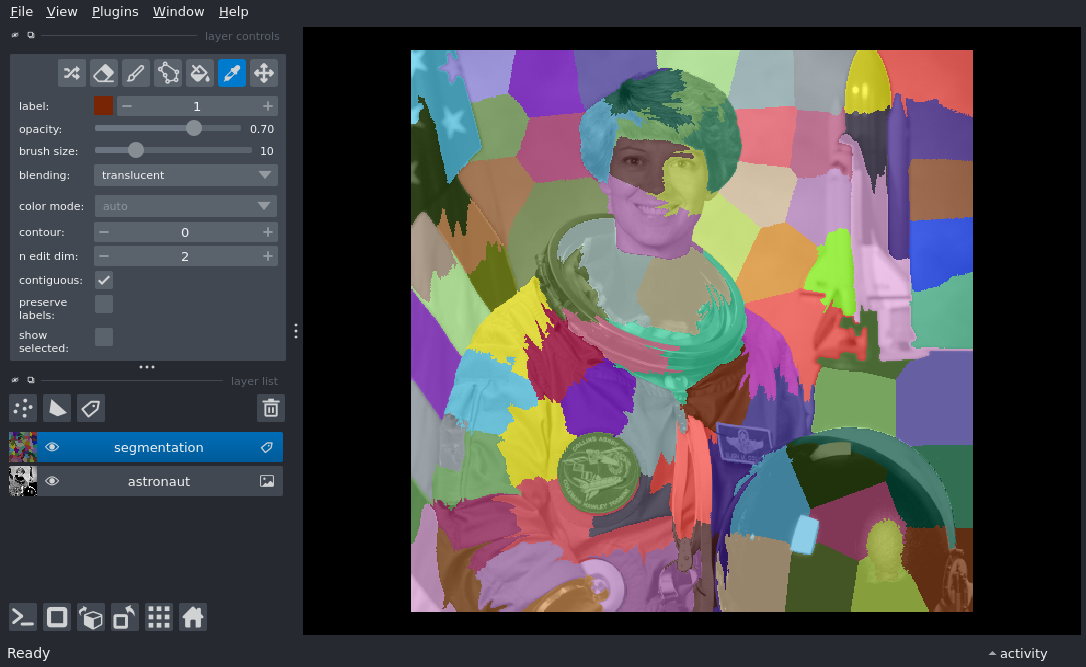
The color of label 5 is [0.2784314 0.22745098 0.62352943 1. ]
from skimage import data
from skimage.color import rgb2gray
from skimage.segmentation import slic

import napari

astro = data.astronaut()

# initialise viewer with astro image
viewer = napari.Viewer()
layer = viewer.add_image(rgb2gray(astro), name='astronaut', rgb=False)

# add the labels
# we add 1 because SLIC returns labels from 0, which we consider background
labels = slic(astro, channel_axis=-1, compactness=20) + 1
label_layer = viewer.add_labels(labels, name='segmentation')

# Set the labels layer mode to picker with a string
label_layer.mode = 'PICK'
print(f'The color of label 5 is {label_layer.get_color(5)}')

if __name__ == '__main__':
    napari.run()