
Show points based on feature#
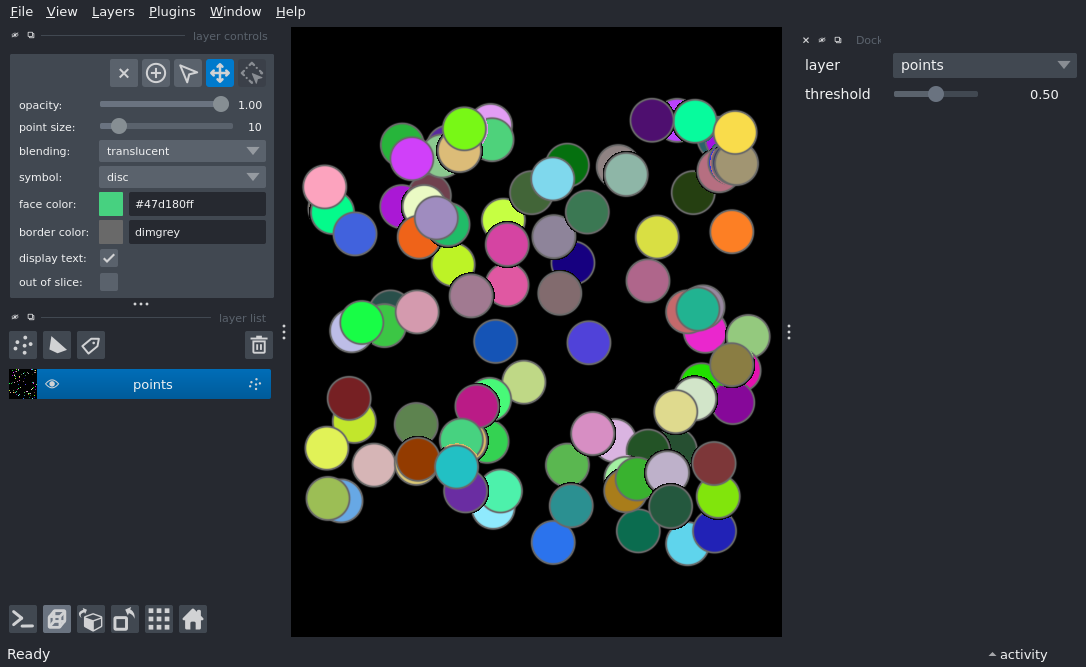
import numpy as np
from magicgui import magicgui

import napari

# create points with a randomized "confidence" feature
points = np.random.rand(100, 3) * 100
colors = np.random.rand(100, 3)
confidence = np.random.rand(100)

viewer = napari.Viewer(ndisplay=3)
points = viewer.add_points(
        points, face_color=colors, features={'confidence': confidence}
        )


# create a simple widget with magicgui which provides a slider that controls the visibility
# of individual points based on their "confidence" value
@magicgui(
    auto_call=True,
    threshold={'widget_type': 'FloatSlider', 'min': 0, 'max': 1}
)
def confidence_slider(layer: napari.layers.Points, threshold=0.5):
    layer.shown = layer.features['confidence'] > threshold


viewer.window.add_dock_widget(confidence_slider)

if __name__ == '__main__':
    napari.run()