
Launch napari and display an image#
Launch an instance of napari and simultaneously display an image using the
imshow() API. This example can be run to recreate the README image.
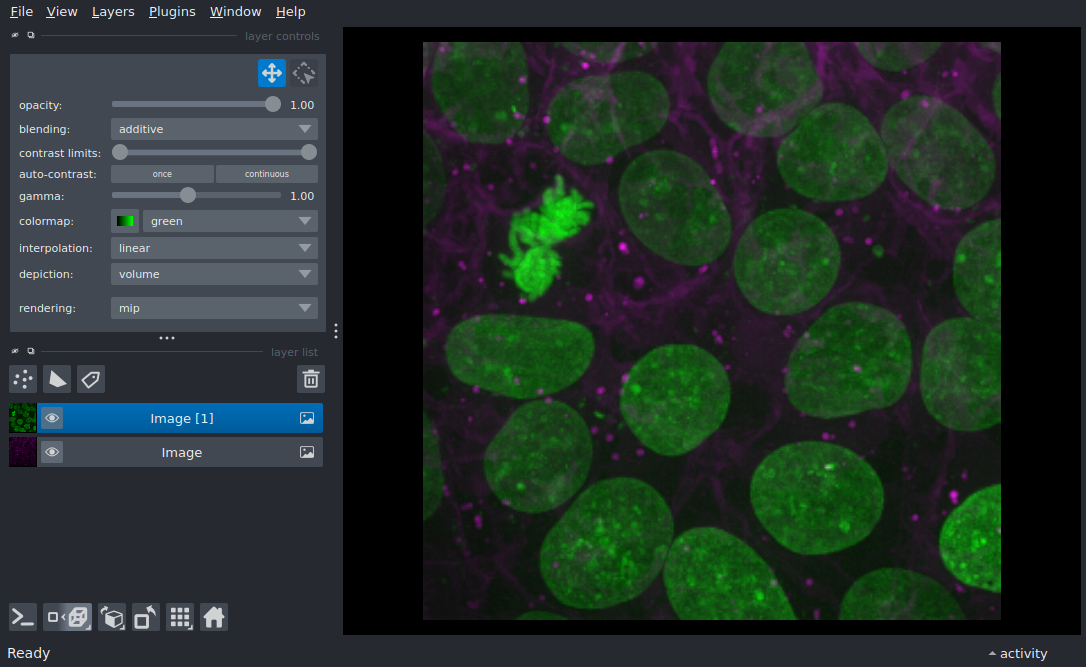
from skimage import data

import napari

viewer, layers = napari.imshow(data.cells3d(), channel_axis=1, ndisplay=3)

# To recreate the README image uncomment the following lines:
#viewer.window.resize(900, 650)
#napari._qt.qt_event_loop.get_qapp().processEvents()  # Ensure the window is done rendering before taking a screenshot
#viewer.fit_to_view()
#viewer.screenshot('./src/napari/resources/multichannel_cells.png', canvas_only=False)

if __name__ == '__main__':
    napari.run()