Add points 3D#
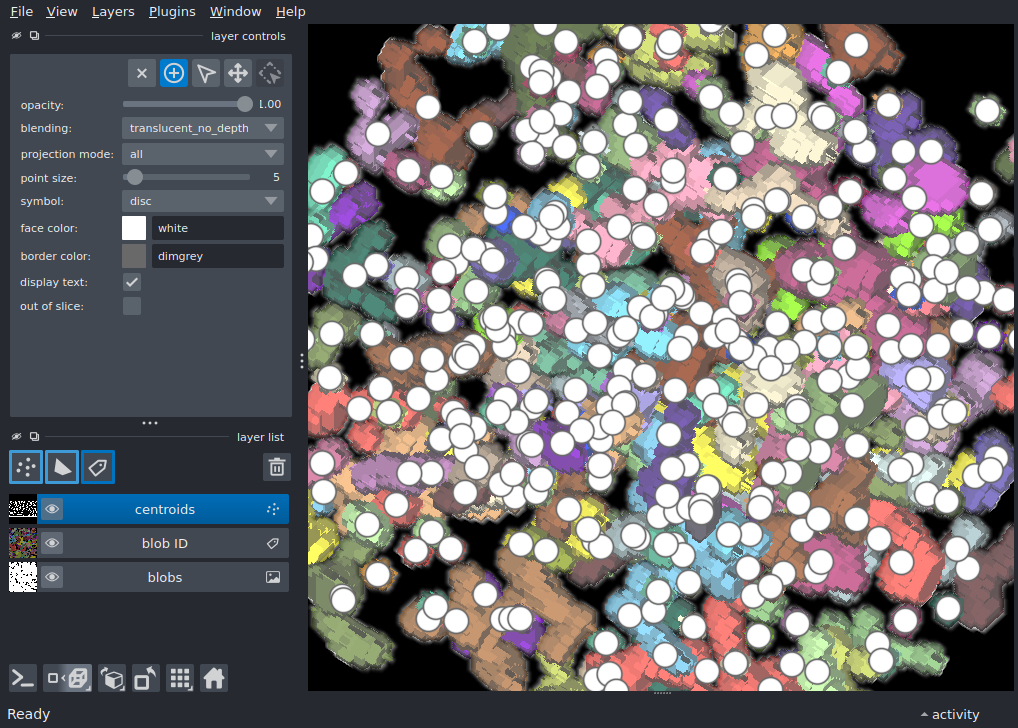
Display a labels layer above of an image layer using the add_labels and add_image APIs, then add points at the centroids of detected blobs in 3D
import numpy as np
from scipy import ndimage as ndi
from skimage import data

import napari

blobs = data.binary_blobs(
        length=128, volume_fraction=0.1, n_dim=3
        )[::2].astype(float)
labeled = ndi.label(blobs)[0]

# compute centroids of labeled blobs to use as 3D points
centroids = ndi.center_of_mass(blobs, labeled, range(1, labeled.max() + 1))
points = np.array(centroids)

viewer = napari.Viewer(ndisplay=3)
viewer.add_image(blobs, name='blobs', scale=(2, 1, 1))
viewer.add_labels(labeled, name='blob ID', scale=(2, 1, 1))
pts = viewer.add_points(
    points, name='centroids', size=5, scale=(2, 1, 1),
    blending='translucent_no_depth',
)

viewer.scene.camera.angles = (0, -50, 50)
pts.mode = 'add'

if __name__ == '__main__':
    napari.run()